







Where teams, clients and agents design together.

Designer HQ is the simplest way to run a design studio, from the first brief to the final invoice.

Trusted by

  • byfrankieharry
  • jackwatsondesigns
  • rosegardencreative
  • joe.hitch
  • nonstopbranding
  • carlyincolour
  • samsoedesign

Your whole studio, connected

Plan every project, track every task and connect anything your studio runs on.

To do 34
  • Refine the wordmark spacing
    Bloom Sat
  • Hold the discovery call
    Viral Toolkit Mon
  • Competitor audit, image models
    Riverflow 20 Nov
Doing 12
  • Write the strategy
    Riverflow Today
Done 2
  • Send the discovery details
    Viral Toolkit 11 Nov
  • Strategy deck, final read
    Riverflow 10 Nov
Present the first direction
Bloom Tomorrow
Tasks

Capture anything your studio has to do.

Wed11Thu12Fri13Sat14
9am10am11am12pm1pm2pm3pm
Discovery call 9:30am to 11am
Design review 11am to 12pm Bloom check-in 9am to 9:15am9am to 9:30am9am to 9:45am9am to 10am
Strategy deck 10am to 11am Bloom kickoff
Final files 12pm to 1pm
Calendar

Keep every call and deadline in view.

Connections

Bring the apps you already use into every project.

1 Discovery4 steps, 2 tasks
ProposalThe proposal
ContractThe contract
Deposit invoiceAn invoice
Discovery workshopA workshop
2 Strategy1 step, 2 tasks
StrategyThe strategy
3 Design2 steps, 2 tasks
MoodboardA board
Concept presentationA document
4 Delivery3 steps, 1 task
Brand HubThe Brand Hub
Final invoiceAn invoice
Final filesA folder
Process

Run every project on your own process.

Received £0123456789012345678901234567890123456789,012345678901234567890123456789012345678901234567890123456789
Open £7,680
Spent £26,725.62
£5,100£3,640£6,800
Finance

See how your studio's year is going.

Jack Watson Member
  • Documents
  • Finance
  • Brand Hub
  • Process
Team

Bring your whole team in.

One room for every way you work with clients

Share every update, gather every comment and hand over anything your clients need.

Keep clients up to date

Share every step and message in one place, so your client is never left guessing.

Nov 2026 5678910111213141516171819202122232425262728293012345678910111213141516
Rebrand 2/4
Discovery
Strategy
Design
Delivery
Packaging 0/3
Discovery
Design
Print
Rebrand· Design 22 days Design22 days Delivery Packaging Discovery Design
Conversation
  • Strategy is complete
  • Leo published Concept presentation Open
  • Leo Two routes for the new identity are in. Tell us which one feels most like Bloom.
  • O Olivia Hart Route two, no question. Can we see it on the packaging?
Message Nonstop
Conversation
  • Strategy is complete
  • Leo published Concept presentation Open
  • Leo Two routes for the new identity are in. Tell us which one feels most like Bloom.
  • O Olivia Hart Route two, no question. Can we see it on the packaging?
Message Nonstop Route two, no question. Can we see it on the packaging?
Gather feedback and run sessions

Stop chasing feedback over email. Your client comments right on the work.

Round one O
Comment
  • O Olivia Hart This is the one. Can the mark go a touch bigger?
  • Leo Bigger in round two, with you tomorrow.
Reply
O

Forms

Ask what you need. Then kick off the project.

Discovery workshop
Waiting on clientApproved Share

Introduction

Everyone
1

What's the brand's name?

O

Bloom

2

What's your origin story?

O

Three of us ran companies for fifteen years and kept meeting founders with real momentum and nobody beside them who had done it before. Bloom is the partner we wanted back then.

Moodboards

Share a board and see what your client loves.

Moodboard
Shared Stop sharing
O
23 Olivia
Olivia 2
Proposals, contracts and invoices

Skip the paperwork scramble.

Proposal Accept the proposal Accepted 12 Nov O
1 / 2

Contracts

Versions and addendums stay with the project.

Signatures Waiting for BloomSigned by both
Leo Benzoni
Nonstop Branding Limited The designer, signed 27 Sept 2026
Olivia Hart Waiting for their signature
Bloom The client, signed 27 Sept 2026
The text matches every signature on it. Signature record

Invoices

Put the payment chase on autopilot.

SentPaid Pay by card £4,320 O Print / PDF
027 Bloom 06/11/2026Due 20/11/2026 Nonstop
INVOICE TO:

Bloom

INVOICE FROM:

Nonstop Branding Limited
Manchester, United Kingdom

Product descriptionPriceQtyTotal
1Rebrand, design phase (30%)£3,6001£3,600
Deliver a premium experience

Always share the latest files and guidelines with your client.

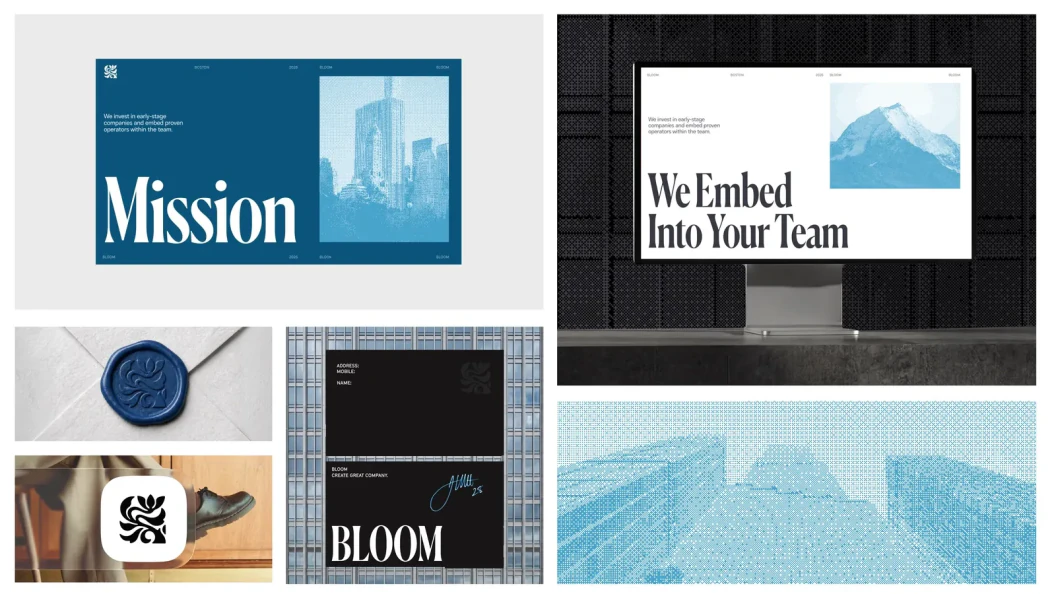
Bloom Brand Hub

Welcome to the Bloom brand hub. This site introduces the identity and how best to use it.

01 Strategy 02 Gallery 03 Logo 04 Typography 05 Colour 06 Photography 07 Layout 08 Bloom Objects 09 Resources
O

Library

Hand over every final file in one Library.

Rebrand Added Download all
  • Logos
  • Identity presentation
  • Website design
  • Case Study
  • Strategy and copy
  • hero.png 2.1 MB
  • Mark paper.svg 2 KB
  • 21.png 1.4 MB
  • Aa ManifoldExtendedCF-ExtraBold.otf 16 KB
  • 11.png 13.7 MB

Brand tools

Build tools your client uses for on-brand assets.

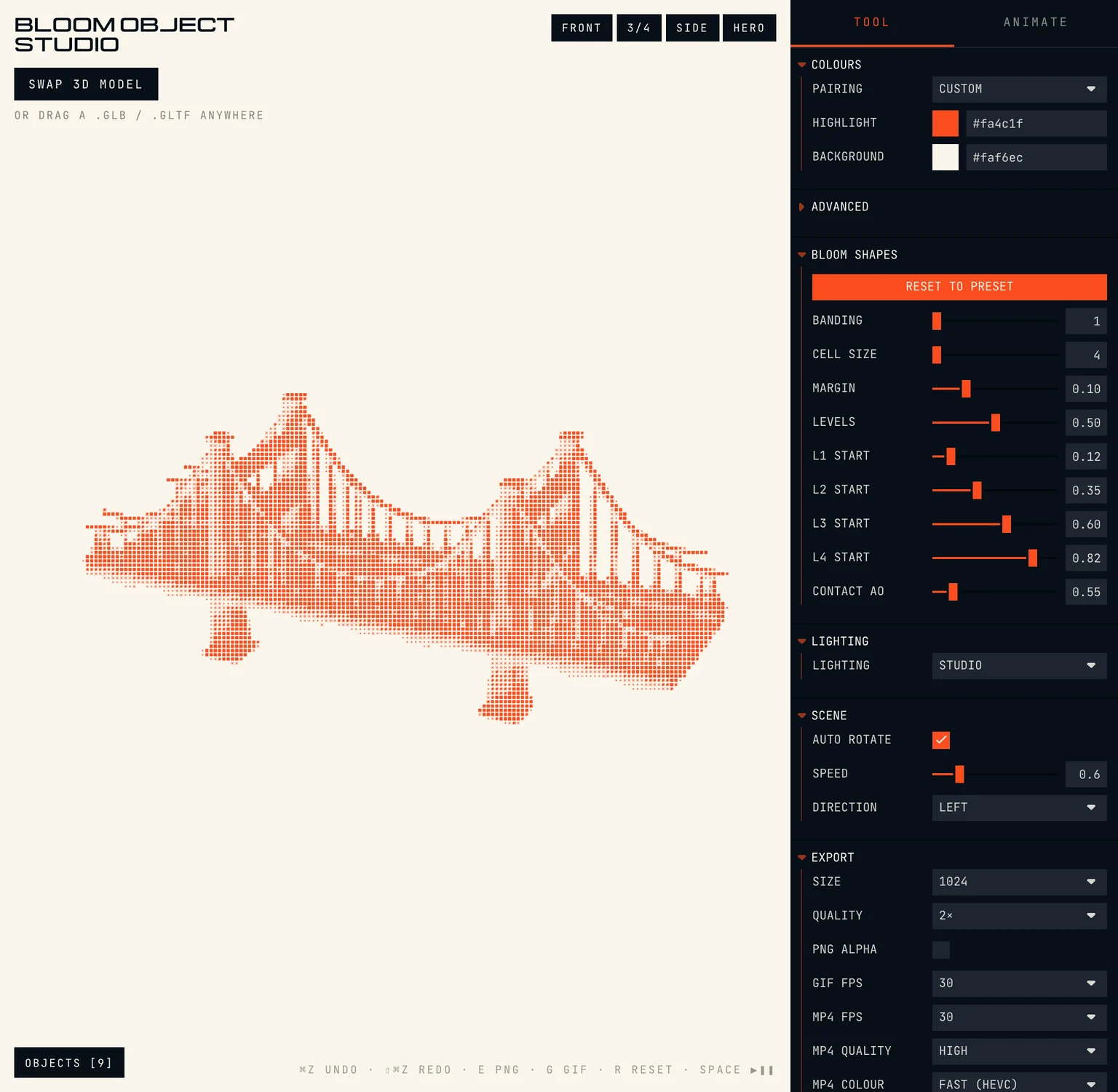
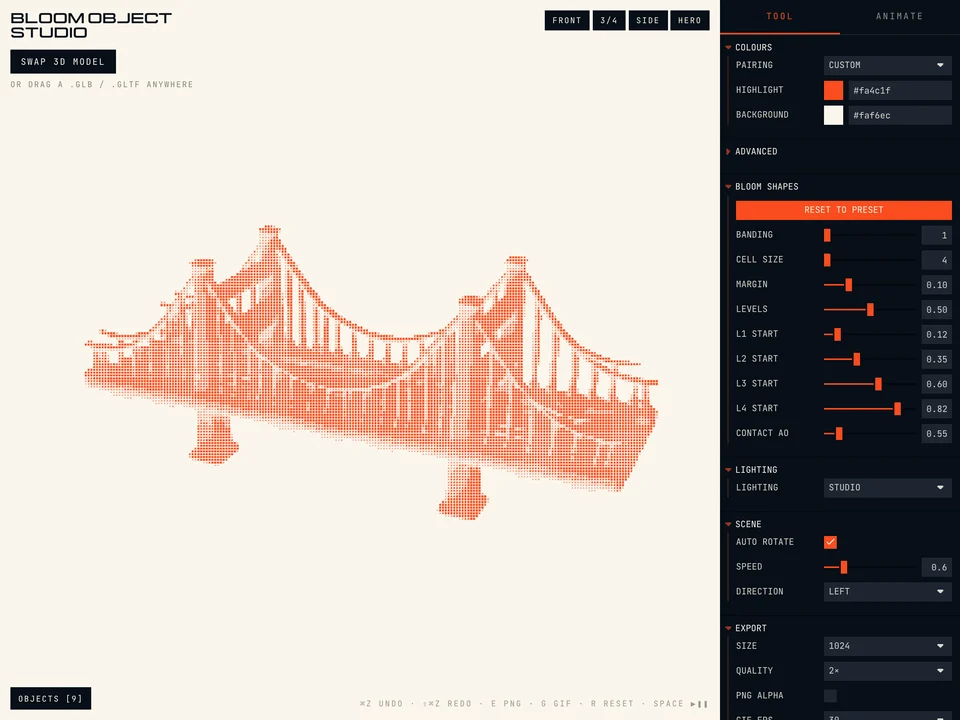
Bloom Object Studio Needs you Approve

Connect your agents to your studio

Connect Claude, ChatGPT or Cursor and it works right inside your studio.

Canvas Brand review Shared
Round one O
Comment
  • O Olivia Hart This is the one. Can the mark go a touch bigger?
  • Jack Watson @bot is this in round two? 👀1
  • Jack's bot Yes. Leo has it on Tasks for Friday and told Olivia it comes in round two.
Reply @bot is this in round two?

A spare hand everywhere you need one

Your AI already knows the client, the brief and the last round of feedback, every time you ask.

Artifacts New
Added Search artifacts
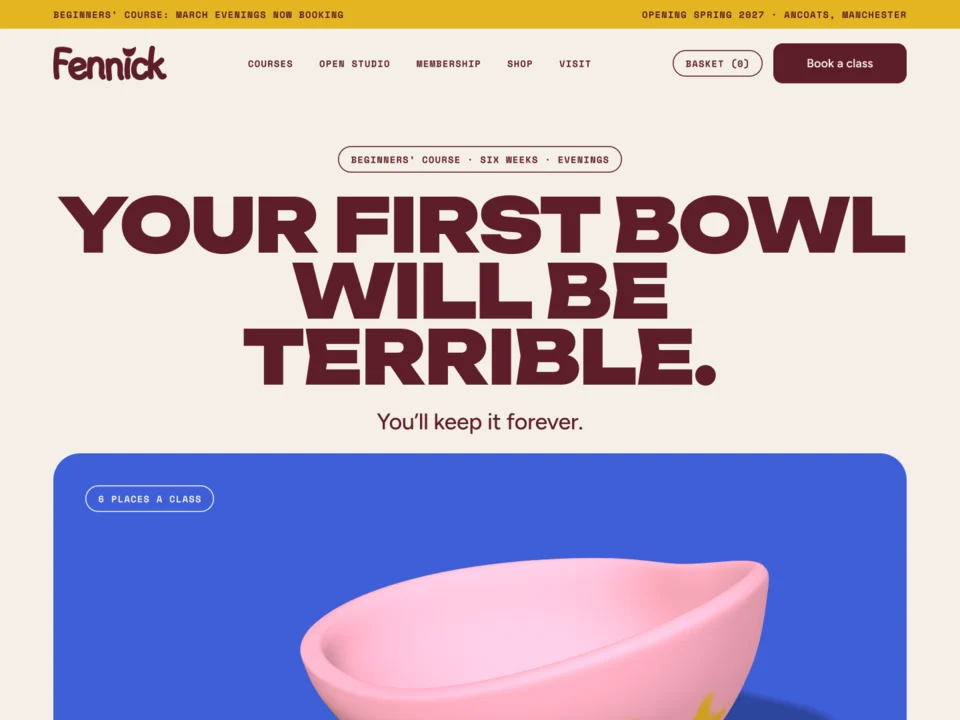
  • Fennick class bookingThe beginners' course page, with booking
  • Bloom Object StudioBloom's objects in 3D, out as PNG or GIF
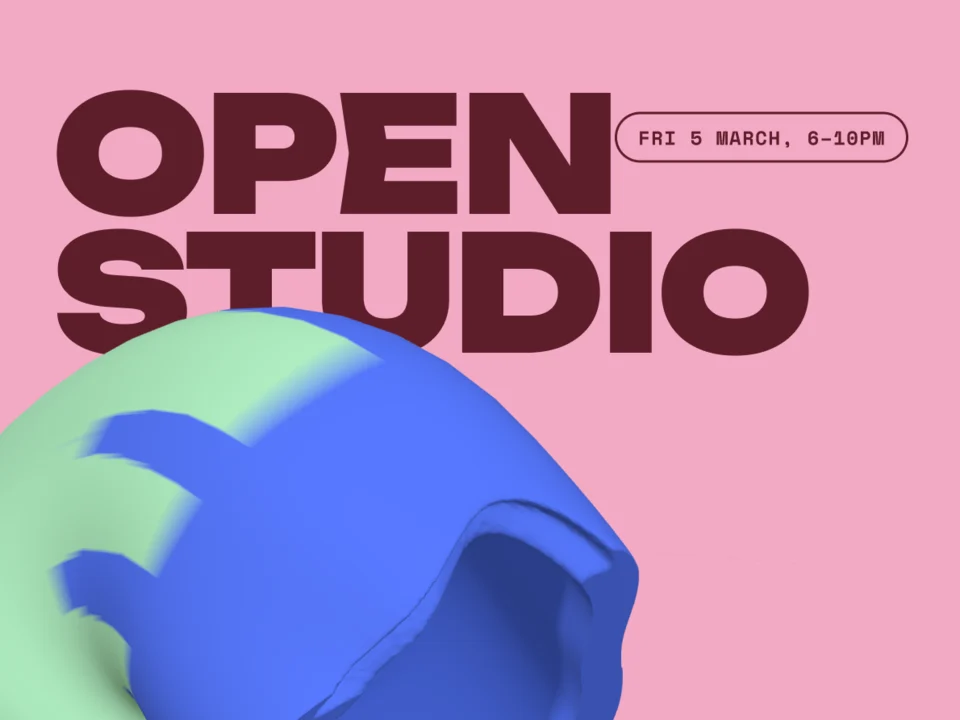
  • Open studio night posterA2 for Fennick's window, Friday 5 March

A home for everything it makes

What your AI builds lands in the client's project, so it never gets lost in a chat or on a link.

SkillsShared with your team and their agents. Upload New skill
  • Kickoff emailThe first email when a client's project starts Jack, 10 Nov
  • Brand voiceAny copy in the studio's voice Leo, 9 Nov
  • Feedback roundReading a client's notes after a presentation Leo, 11 Nov
  • File namingSaving or sending a file to a client Jack, 9 Nov
  • Our logo processWhen a client's logo work starts Leo, 9 Nov

Share skills across the entire team

Write how your studio works and every agent on the team follows it.

A white label OS under your studio name

Run your HQ on your domain, send from your address and give the Helper your studio's knowledge.

hq.yourstudio.design Search or enter website name
Overview
RebrandBloom OOlivia Due 22 Dec
PlanTimeline
  • Discovery1 to 16 Oct
  • Strategy17 Oct to 8 Nov
  • 3 Design9 to 30 Nov
  • 4 Delivery1 to 22 Dec
  • Mood and direction Approved
  • Concepts Needs you
  • Brand review You replied
  • Final files 30 Nov Planned
  • Concept review O 19 Nov, 11am

Your domain, your HQ.

Your team and clients sign in at your address.

Inbox3 messages4 messages, 1 unread
  • Nonstop Concept presentation from Leo Concept presentation from Leo “Two routes for the new identity.” Open it: https://hq.yourstudio.design/bloom/d
  • Nonstop Invoice 027 for £4,320 is ready Invoice 027 for £4,320 is ready Due by 20 November 2026. Pay the invoice: https://hq.yourstudio.design/bloom/i
  • Nonstop Discovery is complete Discovery is complete See the project: https://hq.yourstudio.design/bloom/overview
  • Nonstop Your contract is signed by both sides Your contract is signed by both sides The signed copy is attached. The signature record stays in your room: wh

Your address on every email.

Clients see your studio's name on every email.

Nonstop AI

Ask how this room works or what's waiting on you. Questions about the work go to Nonstop.

How do I approve this?How do I ask for changes?When is our next call?What does Needs you mean?
How do I approve this?
Thinking

Press Concepts in the plan. Its chip reads Needs you. It opens on its own page. Read it, then press Approve.

Your own Helper agent

It answers clients the way your studio would.

Pricing

Free

One client, free.

$0for your first client

No card needed.

Start with FreeStart with Free

What you get

  • Just you
  • 1 GB file storage
  • One client, start to finish
  • Everything in Core except Skills and AI tokens
Best choice for most studios

Core

Your studio, with your AI.

$49a month

Start with CoreStart with Core

What you get

  • Up to 3 team members
  • 250 GB file storage
  • 1M AI tokens each month
  • Unlimited clients and projects
  • AI strategy drafts

Studio

Your studio's own HQ.

$149a month

Start with StudioStart with Studio

Everything in Core, plus

  • Up to 15 team members
  • 1 TB file storage
  • 3M AI tokens each month
  • Your HQ on your own domain
  • Emails from your own address
  • Your own Helper agent
  • Your clients never see Designer HQ

Frequently asked questions

No. Generic tools manage contacts and tasks. Designer HQ is built around how a design studio runs: your process, discovery and strategy, documents, client approvals and Brand Hubs, with your team and your agents working in the same place.

Design studios of one to five people, already working with clients, who want one place to run the studio with their team and their agents.

Claude, ChatGPT or Cursor, whichever you already use. Connect it once through MCP, on any plan, Free included, and it can work across your whole studio: tasks, documents, the calendar, the Brand Hub. Signing a contract and marking an invoice paid stay with you. Inside Claude, ChatGPT or Cursor you choose which of its tools need your approval each time.

Claude, ChatGPT or Cursor, whichever you already use. Connect it once through MCP, on either plan, and it can work across your whole studio: tasks, documents, the calendar, the Brand Hub. Signing a contract and marking an invoice paid stay with you. Inside Claude, ChatGPT or Cursor you choose which of its tools need your approval each time.

As much as you want. It works your HQ through the same tools you do, so it can set up a client, plan a project, draft the strategy or build a prototype for you to share.

Yes, on Core and Studio. Core is for up to 3 people and Studio for up to 15, while Free is just you. Everyone on the team signs in as themselves, takes their own tasks and works on the same clients, and on a canvas you see each other's cursors live.

Yes. Core is for up to 3 people and Studio for up to 15. Everyone signs in as themselves, takes their own tasks and works on the same clients, and on a canvas you see each other's cursors live.

No password needed. Clients sign in to their room with a code sent to their email and only see what you share with them. Brand Hubs can also be shared through a link.

On Studio your clients only ever see your studio. Your HQ runs on your own domain, the emails they get come from your own address, and the Helper that answers their questions carries your studio's name and face.

Yes. Connect the tools you already use, like Slack, Google Calendar and Dropbox, and they work inside every project.

Yes. Start with the Designer HQ process or build your own. You can edit stages, questions, tasks, timelines, deliverables and client-facing steps.

Yes. Add the client, upload your current documents, connect Dropbox if needed, and add your existing strategy or project files.

Yes. You control what your team and clients can see, and clients only see the work you choose to share with them. Designer HQ never sells your data or uses it to train AI models.

One client, start to finish, with everything in Core except Skills and AI tokens: on Free you connect your own Claude, ChatGPT or Cursor instead. Free is just you, with 1 GB of files, and it never asks for a card.

When you add a second client, Designer HQ asks you to pick Core or Studio, even if you deleted the first. Core is $49 a month and Studio $149, and everything you made on Free stays where it is.

Core is $49 a month or $129 every 3 months, and Studio is $149 a month or $379 every 3 months. You pay from the day you start, and your price stays the same for as long as you stay. You can change your billing or cancel before the next renewal.

Nothing gets deleted. You keep full access until the end of the period you paid for. After that your studio becomes read only: you can still sign in, see every client, project, invoice and contract, and download your files. Your clients keep their spaces and Brand Hub links, so nothing you shared with them breaks. Pick a plan again and everything is exactly where you left it.

Give your studio aconnected HQ today